
The RuneLite plugin for OSRS Grand Exchange flipping
Updated
Flip Finder Sync is the official RuneLite companion plugin for OSRS Flip Finder. It turns RuneLite into a hands-free Grand Exchange flipping, trading and merching tracker: every buy and sell you complete syncs straight into your online profit journal, and the plugin's side panel shows model-suggested buy/sell prices, fill probability and price-drift warnings next to your live GE offers. It's free, open-source, and installed through the official RuneLite Plugin Hub — you do not (and cannot) download it as a file from this site.
Get the plugin
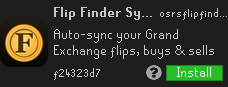
Flip Finder Sync installs from the official RuneLite Plugin Hub — it can't be downloaded as a file; it installs safely inside RuneLite. Open Configuration → Plugin Hub in RuneLite, search "Flip Finder", and click Install.
View on the RuneLite Plugin Hub ↗What the Flip Finder Sync plugin does
Once connected, the plugin auto-syncs every Grand Exchange transaction to your OSRS Flip Finder journal — no more manual logging. Completed buys and sells appear automatically with the quantity-weighted average price you actually paid and received, the 2% GE tax, realised profit and your GP/hour over time.
While you trade, the plugin's RuneLite side panel shows a live read on each of your 8 GE offers: the model's suggested buy and sell price, how your price compares (over/under the suggestion), the fill probability and a rough ETA, and a warning when the market has drifted away from your offer so you know to re-price before it stalls. It's a flipping, trading and merching assistant that lives inside the client.
How to install the plugin in RuneLite
Flip Finder Sync installs through the official RuneLite Plugin Hub, which is the only safe and supported way to add it — there is no downloadable jar on this website. Inside RuneLite: open the Configuration panel (the wrench icon), click Plugin Hub at the bottom, search for "Flip Finder", and press Install on Flip Finder Sync.
Installing from the RuneLite Plugin Hub means the plugin is built and served by RuneLite from open source, so you always get the latest reviewed version. You can read the listing and changelog on the RuneLite Plugin Hub page linked below, but always click Install inside RuneLite itself.
Connect it to your account
Sign in on osrsflipfinder.com, open Settings → API keys and generate a key (it's shown once — copy it). In RuneLite, open the Flip Finder Sync settings (the gear icon on the plugin), paste the key into the API key field, and you're done — the plugin connects to osrsflipfinder.com automatically, so there's no URL to configure.
From then on, flip as normal on the Grand Exchange: your buys and sells flow into your journal in real time, and the suggestions panel updates as prices move. You can toggle the price suggestions and set your risk preference (safer, likely-to-fill prices versus fatter margins) in the plugin's settings.
Flipping, trading and merching with live data
The plugin pairs OSRS Flip Finder's pricing model with your real positions. For every offer it estimates the fill probability at your exact price, so you can tell at a glance which flips are likely to complete and which are priced to stall. The over/under-the-model delta and stale-offer warnings make re-pricing decisions obvious, which is the difference between a merch that fills and gp sitting idle in the GE.
Back on the site, your journal turns those synced trades into the numbers that matter for serious merching: realised profit after tax, ROI per flip, capital at risk, GE slots in use and GP/hour — plus the same price-drift warnings on your open offers. Together they make RuneLite a complete Grand Exchange flipping and trading workflow.
Frequently asked questions
- Is the Flip Finder Sync RuneLite plugin free?
- Yes. Flip Finder Sync is free and open-source on the official RuneLite Plugin Hub. OSRS Flip Finder itself is also free to use.
- How do I download the plugin?
- You install it from inside RuneLite, not as a file. Open RuneLite → Configuration (wrench icon) → Plugin Hub, search "Flip Finder", and click Install on Flip Finder Sync. The RuneLite Plugin Hub is the only supported way to get it.
- Is using the plugin against the OSRS rules?
- No. It's an official RuneLite Plugin Hub plugin that only reads your own Grand Exchange offers and syncs them to your journal — it does not automate trading. Manual flipping and merching are fully allowed; botting and real-world trading are not.
- Does it work for both F2P and members?
- Yes. The plugin tracks Grand Exchange trades and shows suggestions for any tradeable item, on both free-to-play and members worlds.
- What data does the plugin send?
- It sends your Grand Exchange transactions and your IP address to OSRS Flip Finder so they can be logged to your journal and priced — the same disclosure shown on the RuneLite Plugin Hub listing. It does not read your bank, inventory or chat.
Ready to flip? Open the live flip finder for the top ranked flips right now, or browse the best flips, best F2P flips and best members flips.